You are a senior hospitality web designer and frontend engineer. Build a single,
high-end landing page for a fictional boutique resort in Phuket, Thailand called
“Sila Layan.”

This iteration is the landing page only. Do not build room detail pages, a
booking flow, a blog, an admin area, authentication, payments, or a backend.
All navigation and CTAs must remain within this one page or open an accessible
in-page modal. Do not leave dead buttons.

Use plain HTML, CSS, and JavaScript. Do not use React, Vue, Tailwind, Bootstrap,
jQuery, a build step, or any UI framework. Use Phuket, Thailand (Asia/Bangkok)
and THB as the default timezone and currency. All property details, rates,
addresses, and testimonials are fictional placeholders; note this in the README.

Follow this workflow exactly. Do not start writing the landing page until the
research and design-system deliverables are complete.

1. DESIGN RESEARCH AND DESIGN SYSTEM

Use BrowserOS neo (the browseros-neo skill/tool) to browse real websites and
template galleries. Do not substitute general web search or invent references.

Research 6–8 high-quality references:
- Luxury and boutique resorts in Thailand or Southeast Asia
- Editorial hospitality websites
- Premium hotel and villa website templates
- Landing pages with strong hero imagery and booking-bar layouts

Suggested searches:
- boutique resort Phuket website
- luxury villa Phuket website
- resort website design inspiration
- hotel landing page template
- boutique hotel website design
- Phuket beach resort website

For each reference, record:
- URL
- Visual direction and typography
- Layout and responsive behavior
- Hero, navigation, booking-bar, room-card, gallery, and footer patterns
- Anything to avoid

Do not download template code or copy another property’s branding, copy,
photography, or layout. Extract principles only. If BrowserOS neo is
unavailable, stop and ask rather than skipping this step.

Create DESIGN_SYSTEM.md containing:
- Research notes with source URLs
- Brand direction and mood
- Color tokens with hex values and usage rules
- Type scale and font pairing with system fallbacks
- Spacing scale, container widths, radii, shadows, and motion rules
- Components used on the landing page: transparent header, sticky header,
  desktop navigation, mobile menu, hero, availability bar, room cards, room
  modal, experience cards, gallery, testimonial, FAQ, footer, buttons, form
  fields, and alerts
- Hover, focus, active, disabled, loading, error, and success states
- Responsive breakpoints and behavior
- Accessibility rules: contrast, focus visibility, reduced motion, labels,
  touch targets, and semantic structure

Use CSS custom properties for tokens. Do not use inline styles.

Visual direction: tropical modern, not clichéd. Use a restrained palette
inspired by limestone, sea salt, Andaman blue-green, dark timber, and warm
sunset clay. Favor generous whitespace, large landscape photography, strong
art direction, and an editorial serif/sans-serif pairing.

2. BUILD THE LANDING PAGE

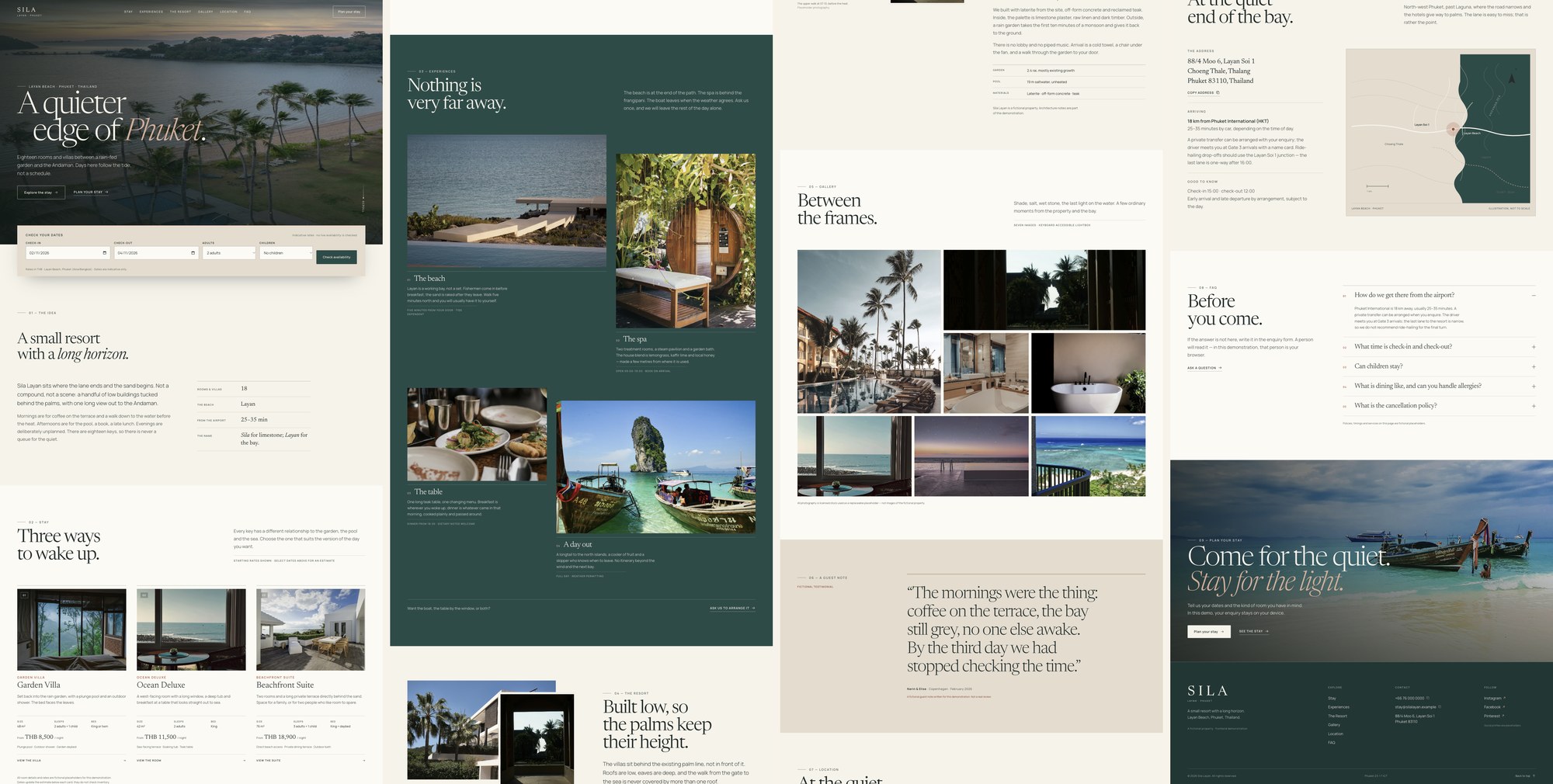
Create this structure:

sila-layan/
  index.html
  assets/css/styles.css
  assets/js/main.js
  assets/img/
  DESIGN_SYSTEM.md
  README.md

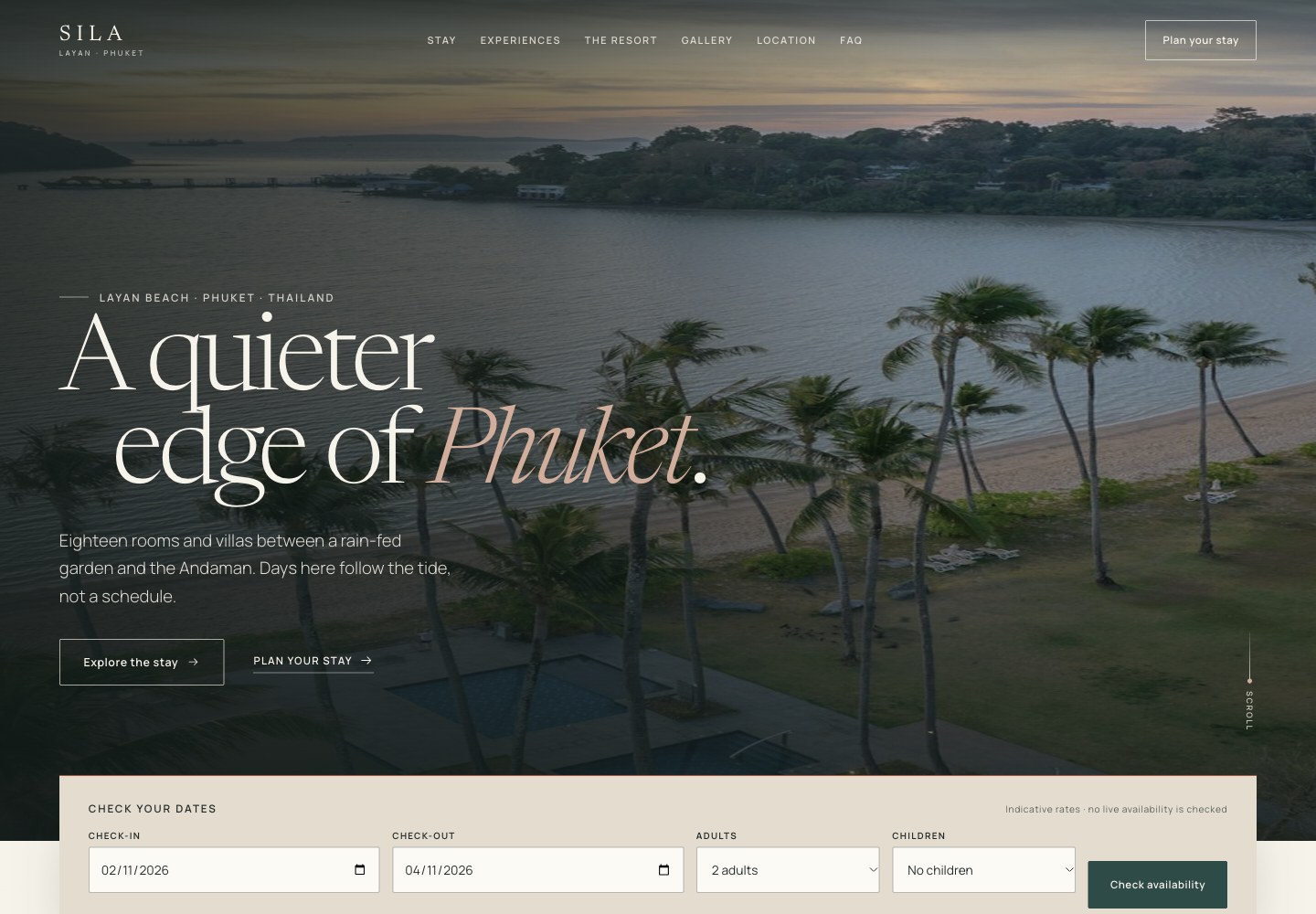
Build one complete responsive landing page containing:

HEADER
- Transparent header over the hero
- Header becomes solid with a subtle shadow after scrolling
- Logo, navigation, and “Plan your stay” CTA
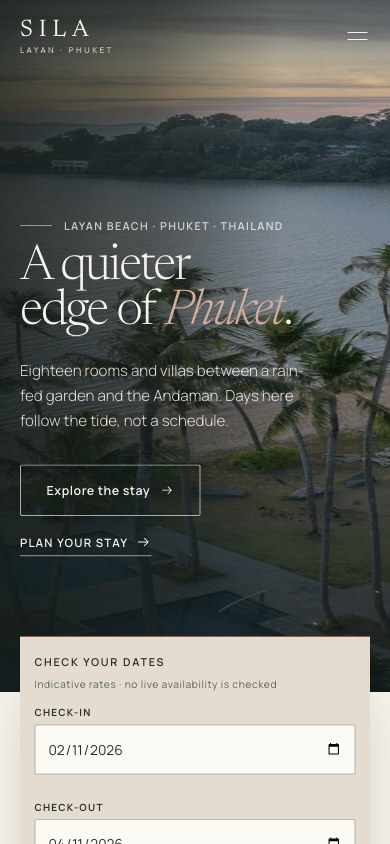
- Accessible mobile menu with focus trapping and Escape-to-close
- Navigation anchors to Stay, Experiences, The Resort, Gallery, Location, FAQ

HERO
- Full-bleed image with strong art direction
- Small location label, large editorial headline, short introduction, primary
  CTA, and subtle scroll cue
- Availability bar overlapping the hero or directly beneath it
- Fields: check-in, check-out, adults, children, and “Check availability”
- Validate date order and guest count
- On submit, scroll smoothly to the Stay section and update room cards with the
  selected dates and estimated nights
- No separate booking page

INTRODUCTION
- Short brand statement
- Location, atmosphere, and core promise
- Small editorial details such as “18 rooms and villas” and “Layan Beach”

STAY
Show three room cards with images, names, size, occupancy, starting rate, and
key amenities:
- Garden Villa — 48 sqm — 2 adults + 1 child — from THB 8,500/night
- Ocean Deluxe — 42 sqm — 2 adults — from THB 11,500/night
- Beachfront Suite — 76 sqm — 3 adults + 1 child — from THB 18,900/night

Each card opens an accessible in-page modal containing a short description,
amenities, bed configuration, check-in/out times, rate, and a “Plan your stay”
CTA. Do not create separate room pages.

EXPERIENCES
Create an editorial section for beach, spa, dining, and island days. Use a mix
of image cards and concise copy. Keep it visually distinct from the room cards.

THE RESORT
- Image-led story section
- Two-column desktop layout and stacked mobile layout
- A few specific details about architecture, landscape, and atmosphere
- Avoid generic luxury-hotel language

GALLERY
- Six to eight images in an editorial grid
- Accessible lightbox with keyboard controls, visible close button, Escape to
  close, and focus restoration

TESTIMONIAL OR PRESS QUOTE
- One strong quote rather than a repetitive carousel
- Clearly fictional attribution or clearly labelled placeholder

LOCATION
- Address and arrival information
- Airport distance and transfer note
- Simple static map-style panel or illustration; do not require an external map
  API

FAQ
- Five questions covering arrival, check-in, children, dining, and cancellation
- Accessible expand/collapse accordion with one item open by default

FINAL CTA AND FOOTER
- Full-width closing image and booking CTA
- Footer with working anchor navigation, contact details, social placeholders,
  and copyright

INTERACTION RULES
- All CTAs must work: scroll to a section or open a modal
- “Plan your stay” opens a lightweight enquiry modal with dates, guests, name,
  email, phone, and special requests
- Validate the enquiry form and show a clear confirmation state
- Store the demo enquiry in localStorage only; do not imply it reaches the resort
- No autoplay video, intrusive popups, fake availability counts, or false urgency
- All controls keyboard accessible with visible focus states
- Responsive from 320px through large desktop

Use licensed stock photography or clearly replaceable placeholders. Do not use
other resort websites’ images. Use realistic hospitality copy, not lorem ipsum.
Include SEO title, meta description, canonical path, and Open Graph tags.

3. TEST WITH BROWSEROS NEO AND SCREENSHOTS

Start the page with:
python3 -m http.server 8000

Use BrowserOS neo to open and test the page. Do not claim testing without actual
browser evidence.

Test at:
- 1440 × 1000 desktop
- 1024 × 768 tablet landscape
- 768 × 1024 tablet portrait
- 390 × 844 mobile
- 320 × 568 narrow mobile

At each viewport:
- Capture and inspect full-page screenshots
- Check hero cropping, heading line breaks, image quality, spacing, overflow,
  booking-bar wrapping, room cards, gallery, FAQ, footer, and touch targets
- Verify there is no horizontal scrolling
- Test the mobile menu, room modal, gallery lightbox, enquiry modal, and FAQ
- Check for console errors

Save screenshots and a QA report under work/qa/. Fix every visible issue and
repeat the screenshot review until desktop and mobile layouts are clean.

DELIVERABLES
- index.html
- Styles and JavaScript
- Local image assets
- DESIGN_SYSTEM.md
- README.md with run instructions, customization notes, placeholder-content
  warning, and localStorage limitation
- Full-page screenshots at every required viewport
- QA report

FINAL RESPONSE
Summarize the landing page, list the reference sites used, provide the run
command, report the tested viewports, link the main files and screenshots, and
state that the page is a frontend-only demonstration with no live availability
or resort booking system.